Personal cold emails, sent from your own Gmail

Upload a spreadsheet of people and write one email. Each person gets their own version, arriving at the hour you pick in their time zone. Follow-ups stop the moment they reply.

ToLinh Tran, LINE Vietnam
SubjectA UCLA student project for LINE Vietnam?
09:00Tue 10 NovICT

Hi Linh,

I saw that you also studied at UCLA and thought I’d reach out. I lead outreach for International Business for Bruins, UCLA’s international consulting club, and think LINE Vietnam would be a great fit for a student project next quarter. Past client reviews are at ibbatucla.com.

Would you have 15 minutes next week?
Up nextin each person’s time zone
09:47Tue 10 Nov CST
Daniel OrtizFieldline Capital · First email
10:31Tue 10 Nov MST
Priya NairRedwood Grid · First email
09:00Tue 17 Nov ICT
Linh TranLINE Vietnam · Follow-up 1

How it works

01 Import

Any spreadsheet in. Clean contacts out

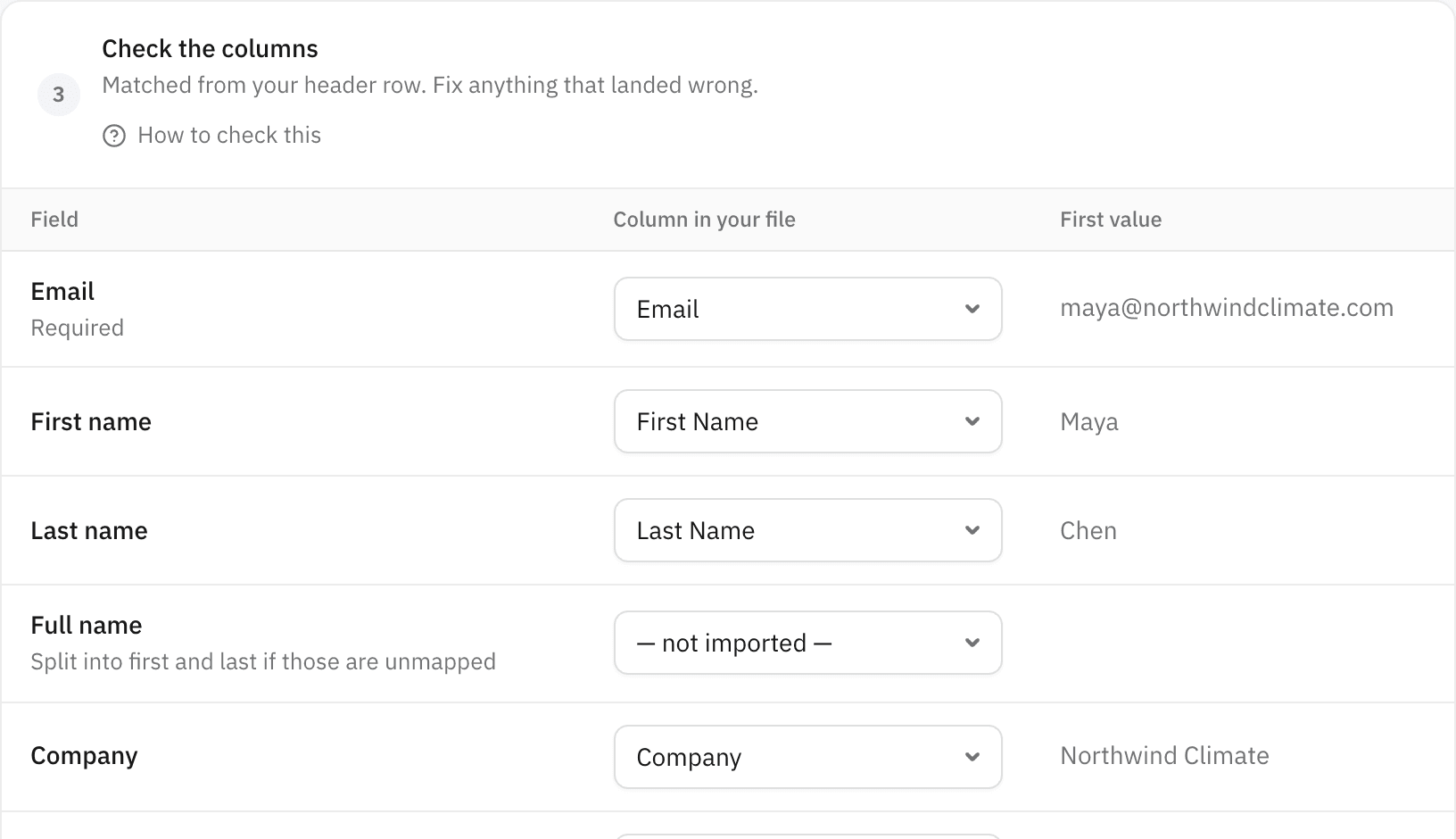
Drop in a CSV or Excel file, from Apollo or anywhere else. Columns are matched for you, and you see the first real value before anything is saved.

  • Up to 20,000 rows a file
  • Every extra column becomes a placeholder
  • Duplicates and rows without an email are left out
The column matching step, with each field paired to a spreadsheet column
Every column matchedFirst value shown for each

02 Approve

Nobody gets an email you didn’t choose

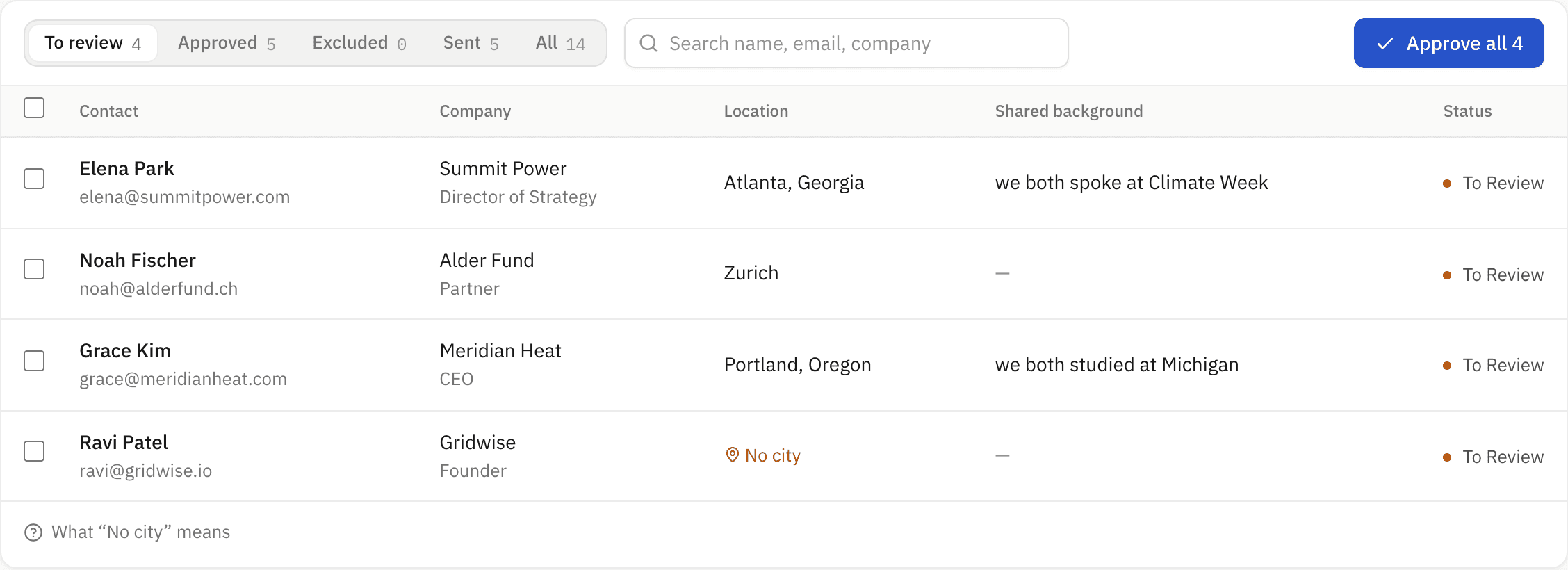
Everyone you import waits in a review list. Approve them all at once, or one by one, and leave out anyone who doesn’t fit.

  • Missing cities flagged before they cost you a bad send time
  • Edit anyone’s details in place
  • Excluded people are never touched
The contact review list with four people waiting for approval
4 waiting for youNo city? Flagged

03 Write

Write it once. Each person gets their own

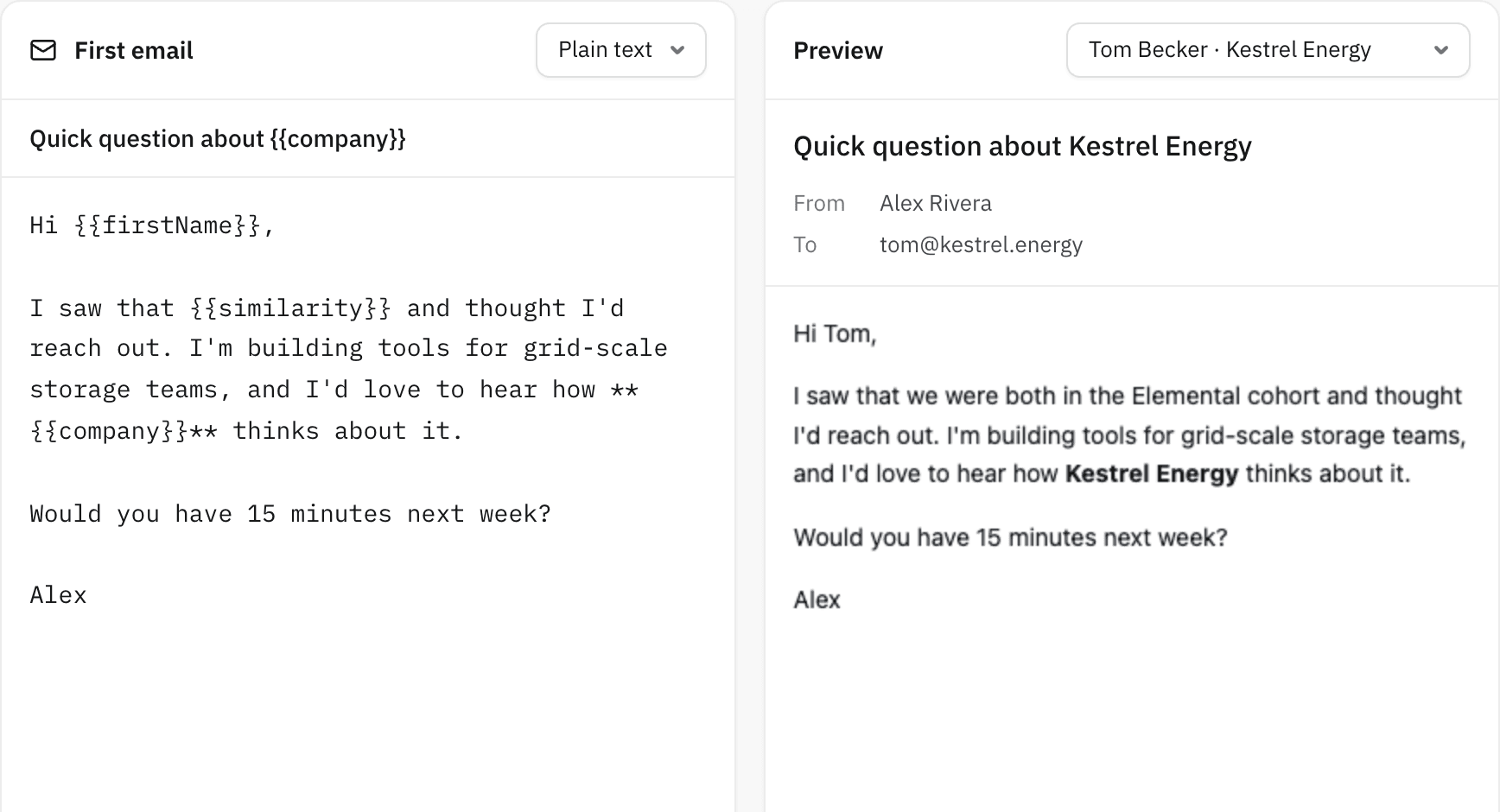
Placeholders fill in names, companies and what you have in common, and the preview shows the exact email each real contact will get.

  • Switch the preview between any of your contacts
  • Choose how many follow-ups each campaign sends, up to 5, and how many days apart
  • Typos in placeholders are caught before anything queues
The email editor with placeholders next to a preview addressed to Elena Park
{{similarity}} → we both spoke at Climate WeekLive preview

04 Send

Lands at the hour you choose, on their clock

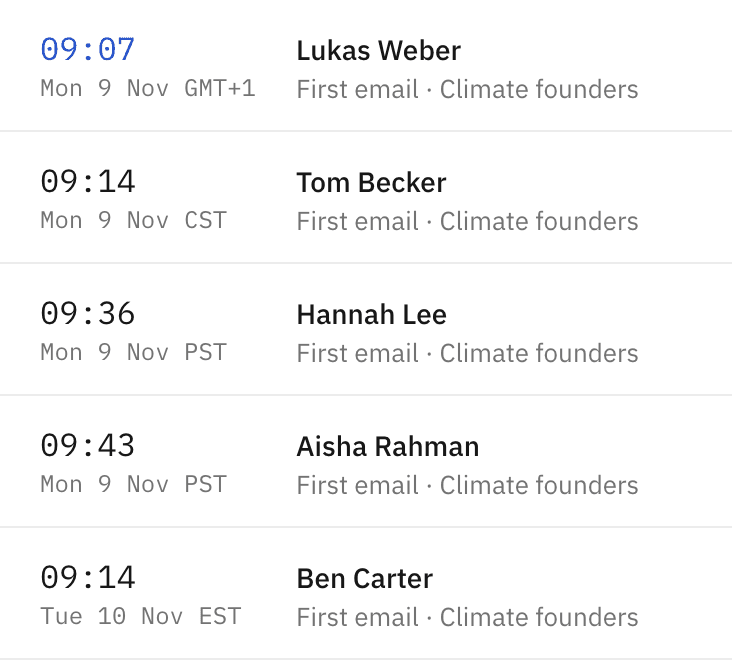
Each person’s city sets their time zone. Pick the hour once, and Berlin, Austin and Seattle each get your email at that time on their own clock.

  • Set the hour per campaign; sends spread over 6 hours on weekdays
  • Sent from your Gmail, so it sits in your Sent folder
  • A daily cap keeps your account in good standing
Upcoming sends, each shown in the recipient’s own time zone
Berlin, Austin, SeattleWeekdays only

05 Replies

They reply. The follow-ups stop. You just answer

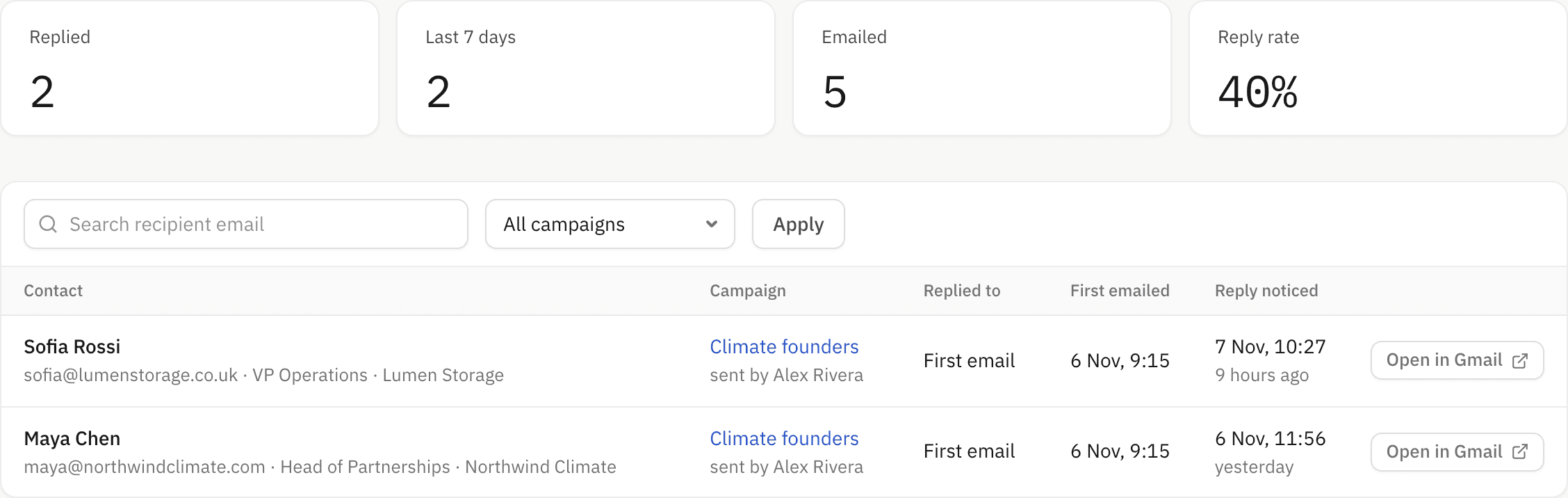
When someone writes back, their remaining follow-ups are cancelled and they appear in Replies, one click from the thread in Gmail.

  • Nobody gets a nudge after they’ve answered
  • Every reply in one list, newest first
  • Answer in Gmail as you always do
The Replies page listing two people who answered
Follow-ups cancelledOpen in Gmail
6 hwindow after your chosen hour, so a day’s emails go out spaced apart instead of all at once
50emails a day by default, to keep your Gmail in good standing
0Gmail passwords stored. Your emails leave from your own account

What setup involves

About five minutes, once. You paste a small script into your own Google account, which lets it send your queued emails as you. The app never sees your Gmail password. Step-by-step instructions, including every screen Google shows you, are built in.

Create account
Dxing’s Cold Email Automator: personal cold email from your own Gmail